Icon of program: Ceedo

Ceedo for Windows

  • Trial version
  • 3.6
    21
  • 15.9K
  • V5.5.1.0

Create your own work environment on a USB stick

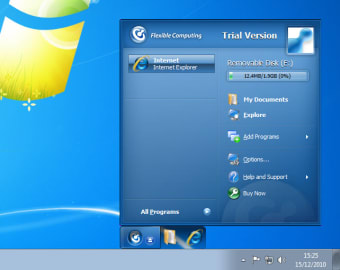
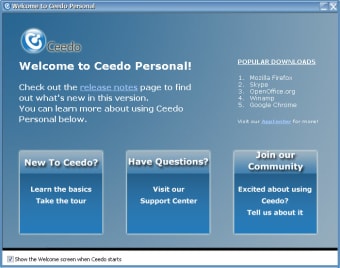
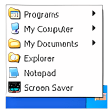
Ceedo Personal enables you to create a portable virtual desktop with your favorite apps and to carry it always with you on a USB memory device.

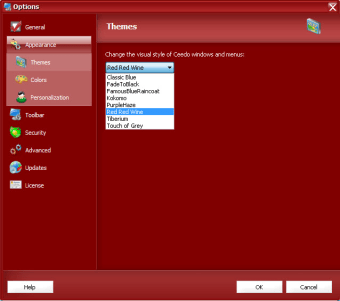
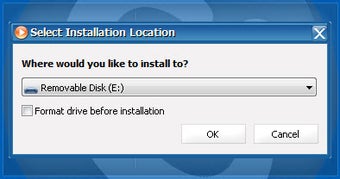
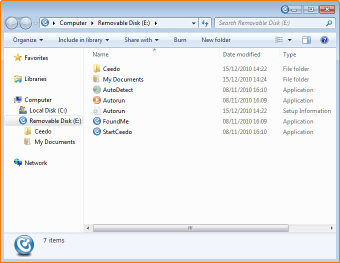
With Ceedo Personal you can have the same computer experience you have at home, anywhere. All you need to do is copy the Ceedo files to a USB flash drive and then customize it with applications and files to suit your likes and needs. Once done, you can plug this USB drive into any other computer and use those programs and files as if you were sitting in front of your own PC.

You can choose the applications to install in Ceedo Personal from a closed list in the Program Directory, or use the Argo Application Installer to access any other app in your hard drive.

Unfortunately Ceedo Personal fell short of our expectations during testing. The system was really slow: the Program Directory didn’t even load, and the Argo Application took forever to install any app. Though these problems may ruin the whole user experience, the truth is that Ceedo's speed depends a lot on the hardware you use. So if you're experimenting speed issues, try using Ceedo on another USB flash drive, or a USB hard drive.

With Ceedo Personal you can create a reduced copy of your own desktop in a USB flash drive. Too bad it’s to slow to be really useful.

  • Pros

    • Customizable, compact desktop
    • Leaves no trace behind on host PC
    • Fits on a USB stick
  • Cons

    • Can be very slow, depending on where you use it
 0/7

App specs

  • License

    Trial version

  • Version

    5.5.1.0
  • Latest update

  • Platform

    Windows

  • OS

    Windows 7

  • Language

    English

    Available languages

    • Arabic
    • German
    • English
    • Spanish
    • French
  • Downloads

    15.9K

    Last month's downloads

    • 3
  • Size

    1.42 MB

  • Developer

    • Ceedo

Program available in other languages


Icon of program: Ceedo

Ceedo for PC

  • Trial version
  • 3.6
    21
  • 15.9K
  • V5.5.1.0

User reviews about Ceedo

3.6

1 reviews

Add review

Main reviews for you

  • Anonymous user

    Great Product. afther the trial period is over ill defenitly buy this product ! i love it best vertualisation progam for usb! Pros: fast, intall anything, works good with any os (xp vista and 7 ) just what i needed between work , home and college and also support is awsome ! Cons: some programs have error afther contacting the support everything worked like a charmed!

More

You may also like

Alternatives to Ceedo

Explore Apps

Latest articles

Laws concerning the use of this software vary from country to country. We do not encourage or condone the use of this program if it is in violation of these laws.
Softonic

Is Ceedo safe?

99/100

Score result: Clean

This file passed a comprehensive security scan using VirusTotal technology. It is safe to download.

  • Virus free
  • Spyware free
  • Malware free
  • Verified by Security Partners

    VirusTotal logo

Scan Info

Last scan
Monday, November 27, 2023
Scan provider
VirusTotal · Full report

File Integrity

File
cp_ga.exe
SHA256
4fbd593d9e8815937513402e86c103befc2619eca00f38913b0b4783acc418ff
SHA1
40e1768f11fd5b368524a2eb02fea8de92a0b8de

Softonic security commitment

Ceedo has been thoroughly scanned by our advanced security systems and verified by industry-leading partners. This file comes from the official developer and has passed all our security checks, showing no signs of viruses, malware, or spyware. For more information, visit our Security and Trust Center